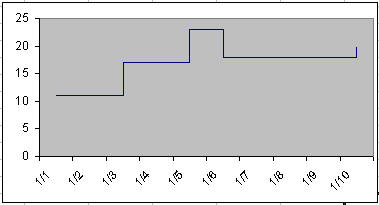
This tutorial looks at three ways to create a step chart, which is a
chart that looks like the below. The techniques below work with
Excel 2007 as well as with earlier versions of the program.
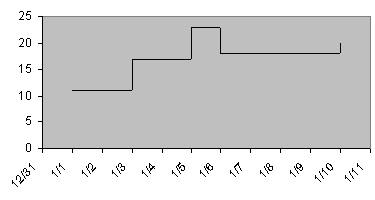
The data for the example chart is shown on the right. Note that this technique works only with a XY Scatter chart. It does not work with a Line chart.
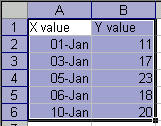
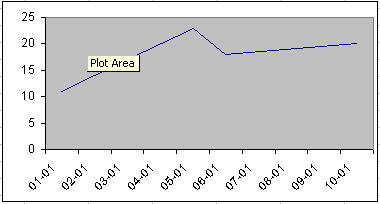
First, plot the data in a XY Scatter chart. Let Excel create the default kind of chart.
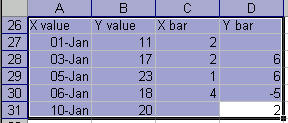
Add values for the x-error and y-error bars. In C27, enter the formula =A28-A27. Once done, copy it down to C30.
The formula in D28 is =B28-B27. Once entered, copy it down to D31.
Now, to add the error bars and remove the default line.
Double click the plotted series. In the Format Data Series dialog box, in the Patterns tab, set Line to 'None.'
In the X Error bars tab, set the values as shown on the right.
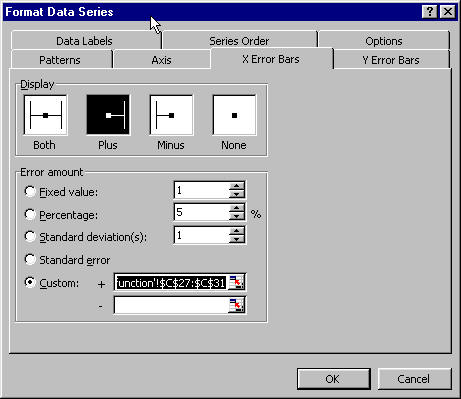
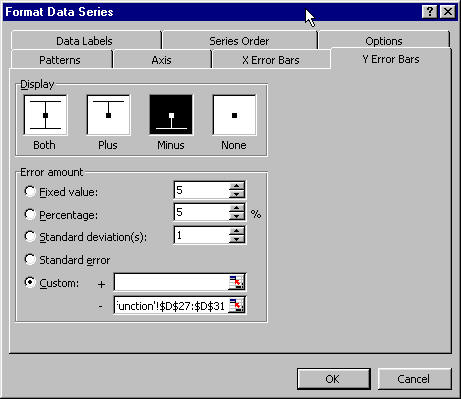
Set the values for
the Y Error Bars in a similar manner.
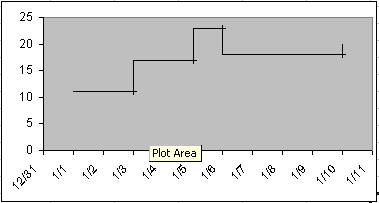
The chart should now look as shown on the right.
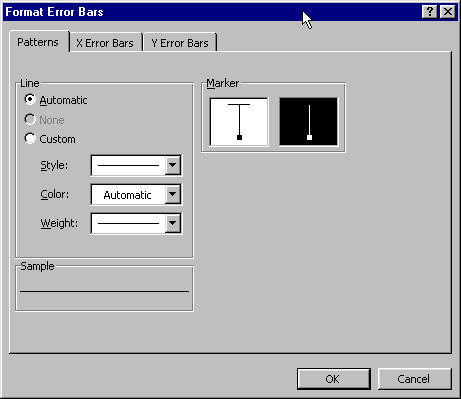
Fix the cross-lines for the error bars by double-clicking on any of the error bars. In the Format Error Bars dialog box, select the marker style to be without the cross-line.
The job is done!
Keywords: Kaplan-Meier survival chart